

GTA 6 Filter: Put Yourself in Vice City
Upload your photo to transform into an iconic 9:16 GTA 6 Vice City protagonist (10 credits) — then animate your real photo into the finished GTA 6 reveal video (60 credits). Runs in your browser, no subscription.
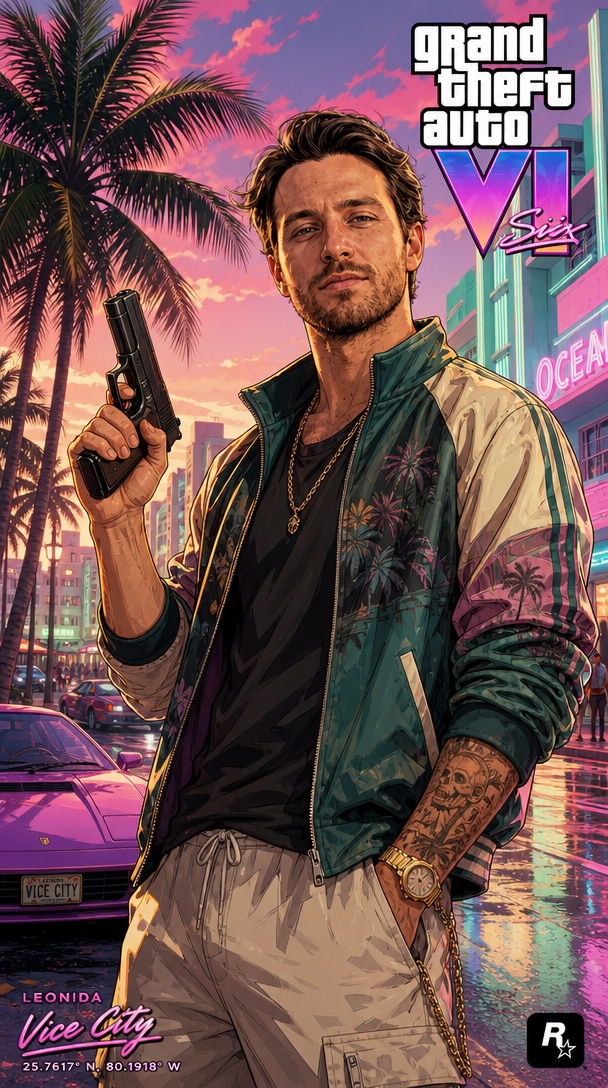
What is the GTA 6 AI Filter?
VooMagic’s GTA 6 Filter is a browser-based AI photo and video generator that transforms your solo or group photo into a vertical 9:16 Vice City criminal protagonist with sharp facial likeness, detailed streetwear, and vibrant sunset neon art style (10 credits for 1K HD) — then animates your real photo directly into your finished GTA 6 artwork as a 5-second stereo reveal video (60 credits).
VooMagic is an independent AI creative tool and is not affiliated with or endorsed by Rockstar Games or Take-Two Interactive.
Become a Vice City Protagonist
Not a flat color tint — preserves your exact face while rebuilding your streetwear, Vice City sunset lighting, and official GTA 6 character key-art style in native 9:16.
How to Make a GTA 6 Photo & 5s Trailer Video
Upload one clear photo
Drop or paste any front-facing or 3/4 selfie (or 2 portraits for Couple Cover Duo). Compressed locally in memory and never stored.
Pick your GTA 6 scene
Choose from Couple Cover Duo, Loading Screen, 5-Star Wanted, Midnight Neon, 3D Ocean Drive, or Florida Airboat and render in ~12s.
Save PNG or animate video
Happy with the frame? Click “Turn into Video” to carry that exact image straight into the Video tab for a smooth Real-to-GTA reveal.
Which Photos Work Best for GTA 6 Filter
- • Clear face with even lighting (daylight or bright indoor shot)
- • Front-facing or slight 3/4 angle, looking near the camera
- • Sharp focus at 500px+ (JPG, PNG, WebP)
- • Natural expression — confident smile or cool neutral look
- • Heavy blur, dark club lighting, or extreme shadows over eyes
- • Hands, masks, or phones covering half the face
- • Tiny cropped faces from far-away crowd shots
- • Already heavily cartoon-filtered photos
VooMagic GTA 6 Filter vs CapCut & Subscription Apps
| What matters | VooMagic | CapCut / Subscription Apps |
|---|---|---|
| How the filter works | Full scene, outfit & pose placement (Couple Duo, 5-Star, Convertible, 3D HUD) | Flat cartoon tint or rigid 1-clip template |
| Pricing model | One-time credit packs from $9.99 · Valid 6 months | $19–$39/mo auto-renewing subscription |
| Photo → Reveal Video | 10 cr scene + optional 60 cr video (1-click First+Last Frame handoff) | Re-upload across separate tools |
| Privacy & Refunds | Original photos never stored · Zero watermark · 100% auto-refund on error | Watermarked on entry plans · No refund on bad outputs |
Questions Before Your First GTA 6 Render
Your GTA 6 cover & trailer, from one photo.
No app install, no monthly subscription — pay only for the credits you spend.